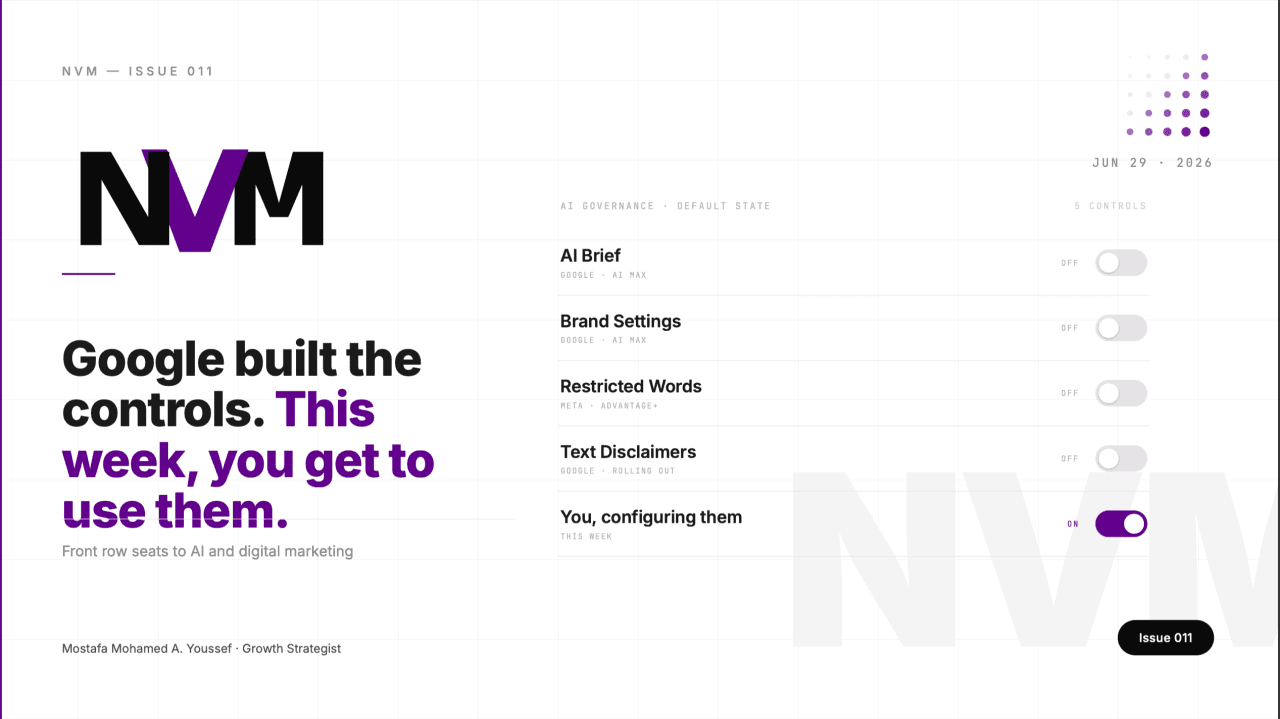
New AI Ad Controls in Google Ads & Meta
Google and Meta shipped new controls to steer AI-generated creative and placements, but most ship off by default. What to switch on before the deadlines.
Welcome back to the front row.
For most of the past year, AI has quietly been editing what runs inside your accounts. Color tones nudged. Headlines swapped. Search queries you never picked, captured anyway. Last week, Google and Meta both shipped the controls to govern all of it. Here's the part that should bug you: almost none of them are turned on by default.
This Week
The AI didn't ask. It just started: rewriting creative, expanding URLs, generating copy, reaching people you never defined. Whether you clocked it or not, you've been running on its judgment, not yours. The governance layer that landed this week is the first real chance to take the wheel. It's opt-in. It's buried two or three menus deep. It's the kind of thing you scroll right past on a Tuesday. So whoever goes digging gets to steer their own account. Everyone else keeps shipping whatever the model felt like.
MAIN STORY
The platforms handed you the controls. Most people won't notice they exist.
A stack of feature updates shipped across Google and Meta this month. A brand setting here. A restricted-words toggle there. A disclaimer rule. A content label. A creative opt-out. Different blog posts, different platforms, all easy to file under "housekeeping" and forget.
Line them up, though, and they're the same story told twice.
For about a year, AI has been generating and reshaping what runs in your accounts, and you mostly couldn't tell it what to do. This month, the part where you tell it what to do finally arrived. Google built its version with the kind of precision you'd expect from them. The job now is just finding where they put it.
What's been running without you
Start with what you've already been living with.
Meta's Advantage+ creative enhancements are on by default in Ads Manager. They change your ads without checking first. Color tone adjusted, stills animated, text variations written, images stretched into placements you never designed for. Upload a clean brand asset, skip past three layers of settings, and Meta may have reworked it somewhere between your screen and the auction.
On Google's side, Final URL Expansion routes traffic to whatever landing page the system thinks fits best. Great for reach. Quietly dangerous if your required disclosure text lives on one specific page and the system decides another page converts better.
Neither of these was hidden, exactly. Neither asked, either. There was enough slack in the system to absorb it, so most accounts just ran on autopilot.
That's the backdrop. The real signal is what showed up this month to fix it.
The controls that arrived
Google's AI Brief, now rolling out in English for AI Max for Search, is the clearest example, and honestly it's a well-built piece of work. It gives you three layers of direction. Messaging Guidelines set what your ads should and shouldn't say (Google's own example: "never mention prices"). Matching Guidelines draw the fence around which searches to chase or avoid. Audience Guidelines tune who you reach and with what message. Before it commits anything to live spend, AI Brief shows you previews of sample assets and searches so you can push back and rewrite the brief first.
Next to it, Brand Settings let you tell AI Max which brands your ads can sit beside and which they must never appear near. And Text Disclaimers, rolling out over the coming weeks, guarantee your required text always shows up in the ad even when Final URL Expansion is doing its thing. That last one closes a real compliance gap regulated advertisers have been carrying for months. It reads like someone at Google actually sat with the practitioner's problem.
Meta shipped the mirror image. Its Restricted Words setting blocks specific words or phrases from showing up in AI-generated copy, which is basically Meta's version of Messaging Guidelines. And those Advantage+ enhancements you never chose? You can switch them off at the account level, then turn them back on per-ad only when you're deliberately testing one.
Every one of these is a steering input. Every one got built because the AI was already driving.
The pattern underneath
Here's what ties them together.
The platforms spent two years teaching their systems to generate and modify at scale. Speed came first. For a while that order made sense, because the automation was good enough that sloppy inputs didn't cost you much.
That phase is ending. The same month these controls appeared, both platforms also shipped AI-content disclosure rules with actual teeth. Meta now requires an "AI-generated" label on creative where AI tools made or substantially changed the visuals or audio, applied globally, not just in the EU. Google's Ads API v24.2 introduced structures that let you programmatically label whether an asset was AI-created, fully automatic, or human-reviewed. Both are timed to the EU AI Act's August 2 deadline.
So the platforms are doing two things at once. Letting AI run your accounts. And making everyone declare when it did.
That's not a contradiction. It's a maturity curve. The move from "trust us" to "here are the controls, and here's the paper trail." Google, true to form, made its controls precise.
Where this leaves you
Look at your own accounts honestly.
Run Meta and never touched the Advantage+ settings? The model has been making creative calls on your behalf, and you're about to be required to label some of them. Moving into AI Max on Google? The AI Brief and Brand Settings are sitting there empty, which means the system is filling those fields with its own judgment instead of yours.
None of this is a fire. Your campaigns didn't break. But the gap between an account that's governed and one that merely runs just became visible. In a couple of months, in regulated categories, that gap stops being a preference and becomes a compliance question.
What to do this week
Three moves, in order.
First, Meta. Open Business Settings, then Advertising Settings, and set your account-level Advantage+ defaults to off for anything you don't want touched. Re-enable individual enhancements at the ad level, only when you're testing one on purpose. While you're in there, set Restricted Words for any term your brand or your client's legal team would never sign off on.
Second, Google. Piloting AI Max for Search? Configure Brand Settings before you scale spend, and define your inclusions and exclusions now. When AI Brief reaches your account, write real Messaging and Matching Guidelines instead of leaving them blank. One operational heads-up straight from Google's own docs: toggling AI Max can throw errors for API requests managing text customizations and brand settings, because AI Max isn't in the API or Editor yet. Tell your team before you flip anything.
Third, compliance. If any AI tool made or substantially changed creative you're running, get ahead of the labeling now instead of scrambling on August 1. Make it a checkbox in your workflow.
Google handed you precise instruments. The advantage goes to whoever configures them first, while everyone else runs on defaults.
PROMPT OF THE WEEK
The new governance controls are scattered across Google and Meta with no clean way to see which ones apply to you. Use this to build the map before you flip a single switch.
"I run paid media on [Google Ads / Meta / both]. My active campaign types are [list them, e.g. AI Max for Search, Advantage+ Shopping, Demand Gen]. I operate in [industry/category], and my compliance sensitivity is [low / medium / high]. Build me a prioritized checklist of every AI governance control I should configure: Advantage+ enhancement defaults, Restricted Words, AI Brief Messaging/Matching/Audience Guidelines, Brand Settings, Text Disclaimers, and AI-content labeling. For each one, tell me where to find it, what to set it to for my risk level, and whether it's a compliance requirement or just a preference. Order it by what protects me most before the EU AI Act's August 2 deadline."
What you get: one ordered worklist that turns seven scattered settings across two platforms into a single afternoon of setup, sequenced by what protects you first.
THIS WEEK
Google extended the DSA sunset to February 2027. Not for everyone. Google pushed its Dynamic Search Ads sunset and auto-upgrade timeline back to February 2027, which buys DSA users real breathing room. The catch: campaigns using Automatically Created Assets and the campaign-level broad match setting still get auto-upgraded starting September 2026. DSA users got more time. ACA and broad match users didn't. Check which bucket you're in before you assume you're covered. (Sources: Google blog, Google Ads Developer Blog, June 2026, Search Engine Land)
Demand Gen finally gets custom labels. Google updated its Merchant Center product data spec so custom labels work in Demand Gen, the kind of segmentation that used to be PMax and Standard Shopping only. You can now slice products by custom label for both reporting and bidding inside Demand Gen. If you've been running it blind on segmentation, that constraint is gone. (Sources: PPC Land, Merchant Center Help)
Performance Max placement reporting gets a little more honest. Google Ads API v24.2 lets you segment the PMax placement report by network type, which is a genuine step toward seeing where your spend actually lands. Pair it with the synthetic-content labeling structures in the same release and the direction's pretty clear: more visibility into the box. (Sources: Google Ads Developer Blog, Search Engine Land, June 24, 2026)
Meta's one-click Conversions API removes the last excuse. Meta's AI business assistant is live globally in Ads Manager, and alongside it is a one-click CAPI setup that needs zero technical work. If your pixel-to-CAPI migration has been stuck because it "needs a developer," it doesn't anymore. (Sources: PPC Land, Jon Loomer Digital)
TOOL OF THE WEEK
Google AI Brief, rolling out in English for AI Max for Search campaigns.
Not a third-party add-on. This is Google's own control panel for directing what AI Max says and where it shows up, and right now it's the most underused lever in the platform, mostly because the accounts moving into AI Max haven't configured it yet.
How to use it right now: if you're piloting AI Max for Search, open your campaign and watch for the AI Brief settings as they roll into your account. Start with Messaging Guidelines. Write down the things your ads must never say (prices, unverified claims, competitor names, whatever your category demands). Set Matching Guidelines to fence off the search themes you don't want. Use the sample previews to sanity-check the system's read before it touches real spend. Treat every empty field as a risk, because whatever you leave blank, the AI fills with its own judgment.
Why it matters this week: AI Brief is rolling out gradually, so there's a window where configuring it is an edge instead of table stakes. Write real guidelines now and you're steering while everyone else coasts on defaults. (Source: Google Accelerate)
MY TAKE
I keep landing on one word. Default.
Every one of these controls ships off. The one exception is Advantage+, which ships on and starts reshaping your work before you've said a thing. Hold those two facts next to each other and it gets clear fast. The automatic behavior is the path of least resistance. The restraint is something you have to go find.
Google built its side of this carefully. The AI Brief is exactly the kind of precise, practitioner-aware tool I've come to expect from them. But precise tools sit idle until somebody opens them.
I've watched this pattern play out for years. The advantage was never the tool. It was caring enough to actually configure it.
Here's what's different now. The gap between a governed account and one that merely runs used to be invisible. Soon, in regulated categories, it shows up on a compliance form.
Go find the settings.
That's Issue #11 of NVM. If it gave you one thing to act on this week, send it to someone who needs it. Got a question? Reply, I read every one. See you next week. — Mostafa
NVM · Front row seats to AI and digital marketing
- Subscribe → nvm.marketing/newsletter
- Join the community → nvm.marketing/community
- Write for NVM → nvm.marketing/blog
Get the next issue first
Weekly intelligence on AI, search, and performance marketing, straight to your inbox. No noise.
Prefer to discuss on LinkedIn? Join the conversation on the original post.
Join the discussion on LinkedInComments
Sign in to join the conversation
Sign in